Keep the question
Save a starter you can return to and revise as your thinking develops.
Explore Ideas
Keep a question, revise it as you read, and build the next version in your private project. This is the actual draft editor, populated with fictional writing.
Your ideas and full drafts stay behind sign-in. The screenshot and worked example contain only fictional writing.
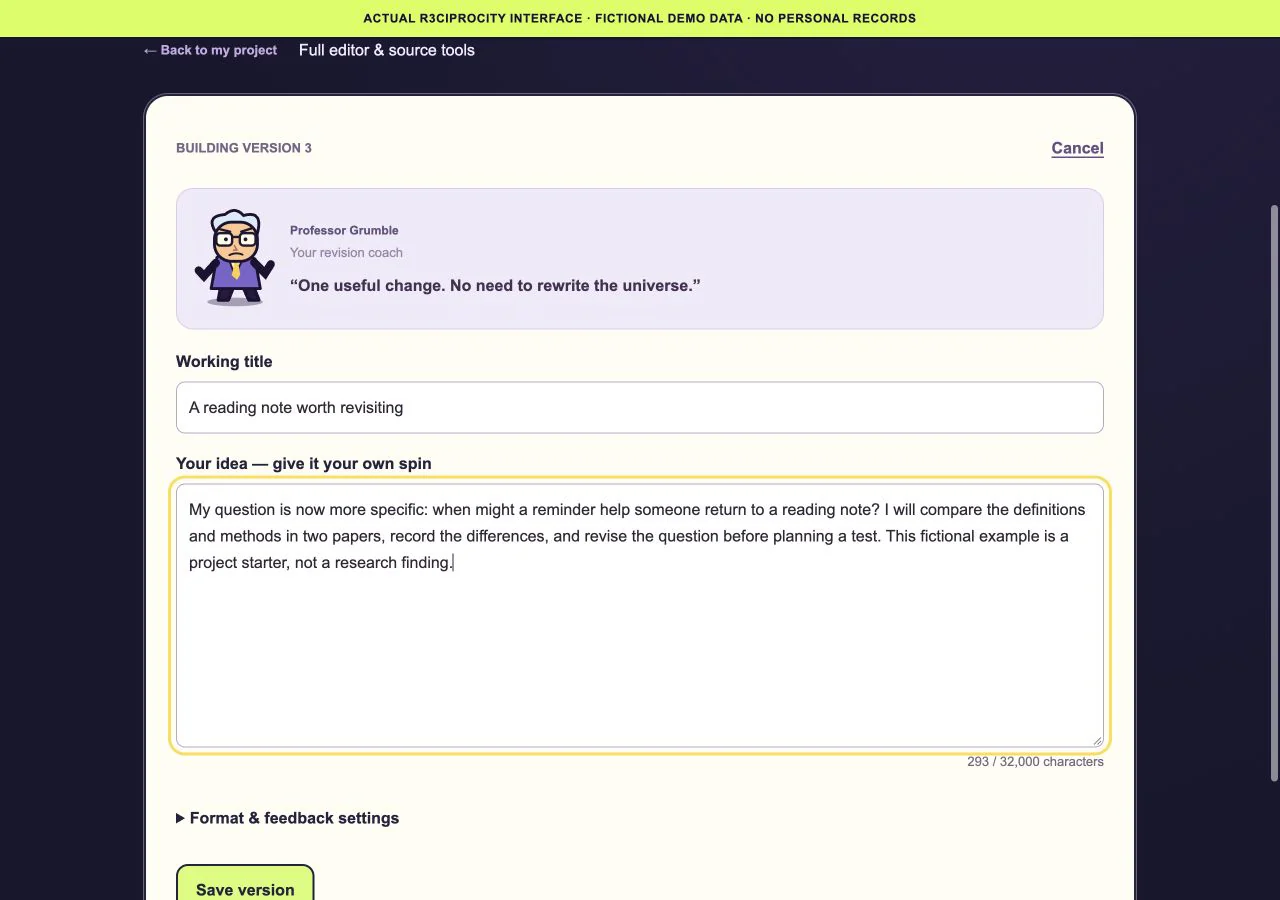
The real full draft editor, preparing version 3 from a fictional saved version 2. The capture did not save a new version.
Worked example
Invented writing in the actual project editor. This is not a user’s saved project or a research finding.
Version 1 asks: “Could a short reminder help someone return to a reading note?” Give the project a working title and save the starting point privately.
Version 2 narrows the task: compare how two papers define reminders and revisiting behavior, then record the methods and context before choosing a study design.
The screenshot shows the editor preparing version 3. Make one useful change, review the draft, and use Save version when ready. Earlier saved versions stay in the project history.
The screenshot demonstrates the actual editing state without submitting a save. The fictional draft deliberately describes a comparison to make, rather than claiming a proven research gap. In your own signed-in project, you decide what to change and when to save the next version.
Save a starter you can return to and revise as your thinking develops.
Keep useful papers and notes close to the idea they helped shape.
Identify the next reading, comparison or revision that would help you make progress.